Updated 2026-11-06
Secret Santa Without Emails or Sign-ups: Draw Names on One Phone or by Link
Most Secret Santa generators want an email address for everyone. For a family or a group chat, collecting those is the slowest part of the whole thing. Totle's Secret Santa skips it: you type the names, draw, and each person gets their match either by looking at your phone for a few seconds or through a personal link you send in the chat app you already use. Names and matches are never sent to a server. Below is how both ways work, and what the tool can't protect against.
Before you draw
You need at least 4 people. With 2 or 3, knowing your own match tells you everyone else's, so there's no secret left. Even with 4 or 5, people can make a good guess; it feels like a real surprise from about 6 up. A group of up to 30 works.
Use first names or nicknames. If two people share a name, add an initial, like "Sam K" and "Sam P". The Draw names button changes to Duplicate names and stays off until you fix it.
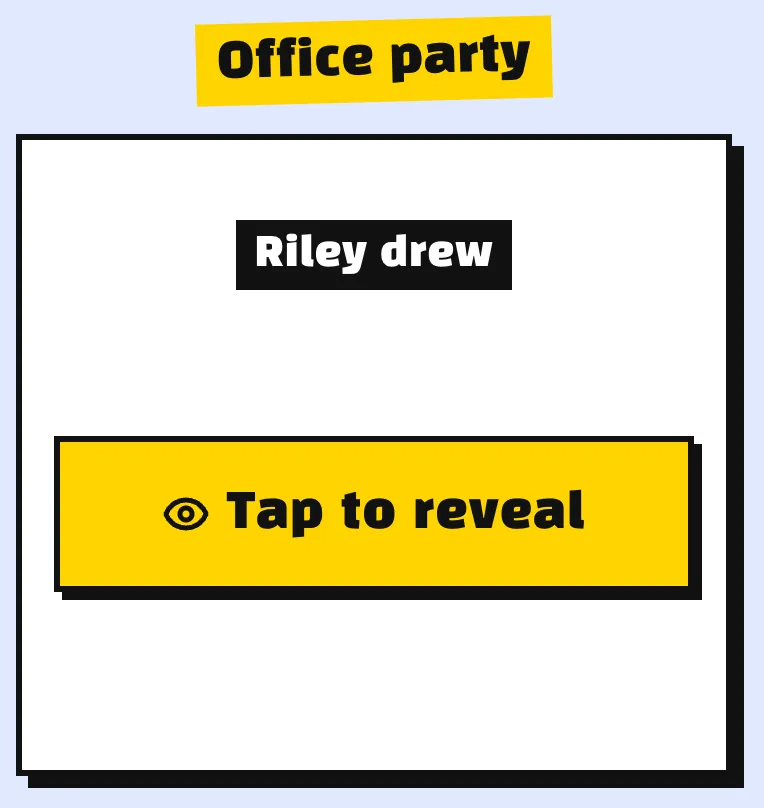
There's an optional group name, such as "Office party". It shows on each person's link, which helps anyone who is in more than one exchange.
Step by step
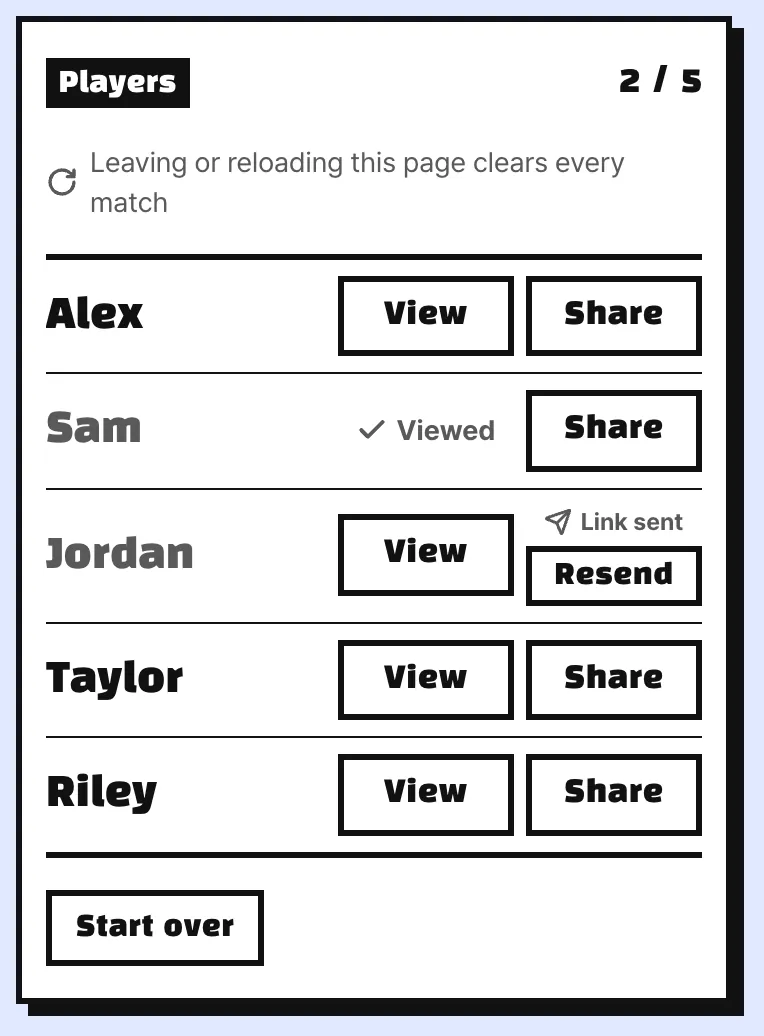
- Type everyone's name and press Draw names. Nobody draws themselves, and everyone is drawn by exactly one person.
- Each name now has two buttons, View and Share. Use whichever suits that person.
- You're done when every name shows Viewed or Link sent.
The list never shows who drew whom, so the organizer can take part too.
Pass the phone around
This is the quick way when everyone is in the same room. Hand the phone over and have the person press View next to their own name. It asks "Are you Alex?" first, which catches the usual wrong tap. Then their match fills the screen for a few seconds and hides itself. That name is marked Viewed and can't be opened again on this phone, so they pass it on.
Send a personal link
For anyone who isn't there, press Share next to their name. On a phone the share menu opens and you send it straight to that person. If the browser has no share menu, the link is copied and you paste it into a direct message.
The link holds only that one pairing. When Alex opens it, the page says "Alex drew" and waits for a tap before showing the name. Alex can open it again any time, which makes the link the better choice for people who forget. Resend sends the same link again; it doesn't draw a new match.
You can mix the two in one group, and you can send a link to someone who already looked on the phone.
Keep the page open until everyone has theirs
This is the one thing to remember. The matches live only on the open page. If you reload or leave it, the draw is gone. Links you already sent keep working, because each one carries its own pairing, but you can't send new ones. So send every link and finish the phone round before you close the tab.
If you have to redo it, Start over gives everyone a new match, and any links you sent need to go out again. Do that before people start shopping.
What it can't stop
It runs on trust, and it's worth saying so when you start.
- Someone looking over a shoulder or photographing the screen.
- Someone pressing another person's name on purpose.
- The organizer opening a link before sending it. Links have no password, so send each one only to its owner.
- Exclusions like "couples shouldn't draw each other". There's no such setting, and two people can end up drawing each other.
If your group needs strict exclusions or anonymous wish lists, a sign-up-based generator is the better fit.
Planning the rest
Settle these in the group chat before you draw:
- A budget as a number, like $25.
- When and where gifts change hands, or a mailing deadline.
- A shared note where everyone lists two or three gift ideas.
- Whether Santas are revealed at the end.
- What happens if someone drops out. Usually the person leaving tells the organizer who they had, and whoever drew them buys for that person instead.
If you're doing a White Elephant swap instead, you need a turn order, not secret matches. A race works well for that; see the Turtle Race Name Picker guide.
FAQ
Does anyone need an email address or an account? No. People who get a link just open it.
I forgot who I drew. Viewing on the phone only works once. Ask the organizer to press Share next to your name and you'll get a link you can reopen.
Does it work for a remote team? Yes. Send everyone their link in a direct message.
Our league needs a draft order, not Secret Santa. That's a different job: Random Draft Order with a Race.